Anamul's Web Services Anamul's Web Services
  • Home
  • Services
  • Shop
  • Blog
  • Contact
  • About Us
0
BUY NOW
Anamul's Web Services

We're here to help with all your website, branding, and digital service needs.

  • Home
  • Services
  • Shop
  • Blog
  • Contact
  • About Us
find with me

Blog Grid

  • Home
  • Blog Grid
Website design & Development
3 min read

What Is Responsive Web Design and Why It Matters

August 13, 2025

What Is Responsive Web Design and Why It Matters

When you visit a website on your phone and it looks tiny, hard to read, or requires constant zooming and scrolling, that site is missing one critical feature: responsive design.

Responsive web design ensures that your website automatically adjusts to fit the screen size of any device, whether it is a phone, tablet, laptop, or desktop computer. This is no longer just a “nice-to-have” — it is a must if you want your business to make a good first impression online.

At Anamul’s Web Services in Warren, MI, we build every site with responsive design so our Metro Detroit clients can reach customers wherever they are browsing. Let’s take a closer look at what responsive web design is and why it matters so much for your business.


What Is Responsive Web Design?

Responsive design means your website’s layout, images, and text automatically adapt to the device being used. The same page will display differently on a desktop computer than it will on a smartphone, ensuring the best possible experience for the user.

Instead of creating separate mobile and desktop versions of your website, responsive design uses flexible layouts, scalable images, and smart coding to make your site look great on any screen size.


Why Responsive Design Matters for Your Business

1. Better User Experience

If visitors have to pinch, zoom, or scroll sideways just to read your content, they will leave. A responsive site keeps everything clear, organized, and easy to use no matter what device someone is on.

2. More Mobile Traffic

Over half of all internet traffic now comes from mobile devices. If your site isn’t mobile-friendly, you could be turning away a large portion of your potential customers in Metro Detroit.

3. Higher Google Rankings

Google prioritizes mobile-friendly websites in search results. That means a responsive site can help improve your visibility in local searches.

4. Cost and Time Efficiency

Maintaining a single responsive website is easier and less expensive than managing separate mobile and desktop versions.

5. Better Conversion Rates

When your site is easy to navigate and loads quickly on mobile, visitors are more likely to contact you, request a quote, or make a purchase.


How to Tell If Your Website Is Responsive

A quick way to check is to visit your website on different devices and see if it adjusts properly. You can also resize your browser window on a computer — if your site layout shifts smoothly without breaking, it’s responsive.

If it looks cramped, cuts off text, or makes buttons too small to tap, it may be time for an update.


How Anamul’s Web Services Can Help

We design all websites with mobile optimization in mind from day one. That means your site will load quickly, look professional on any device, and give your visitors the best possible experience whether they are in Warren, Detroit, or anywhere else in Michigan.


Final Thoughts

Responsive design is no longer optional. It is one of the most important factors in keeping visitors on your site, improving your search rankings, and turning clicks into customers.

If you are ready to make sure your website is fully responsive and mobile-friendly, call 313-212-1124 for a free consultation with Anamul’s Web Services. We can review your current site, show you what is working, and recommend changes that will help you attract and keep more customers.

Domain
3 min read

What Is a Domain Name and How to Choose the Right One

August 13, 2025

What Is a Domain Name and How to Choose the Right One

Your domain name is your website’s address on the internet — it’s how people find you online. Think of it as your business’s digital street sign. A great domain name is easy to remember, simple to type, and reflects your brand.

At Anamul’s Web Services in Warren, MI, we help Metro Detroit businesses choose domains that not only look professional but also make a strong first impression.


What Exactly Is a Domain Name?

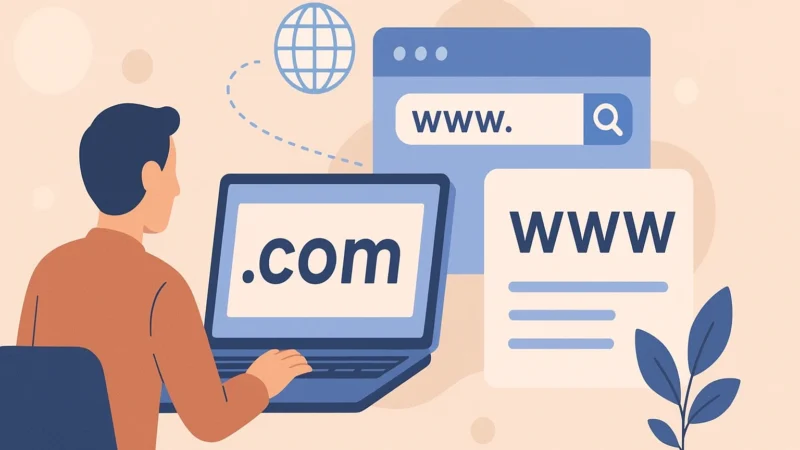
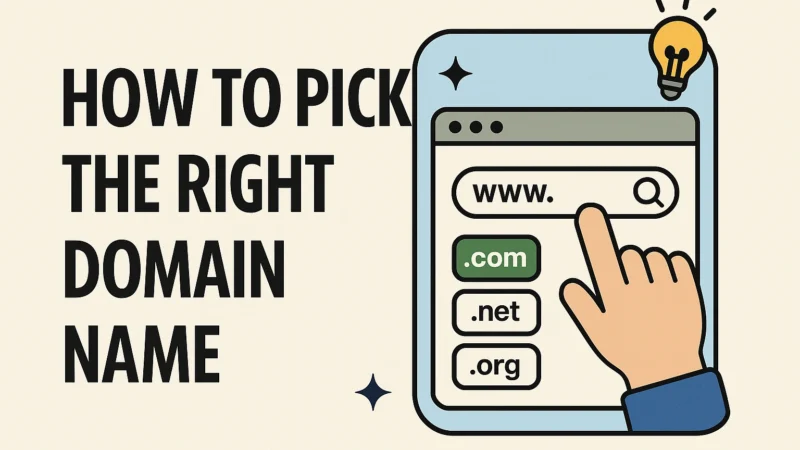
A domain name is the text people type into their browser to visit your site, such as www.YourBusinessName.com. It usually consists of three parts:

  1. Subdomain: “www” or other prefixes (optional)
  2. Name: Your unique brand or keyword
  3. Extension: .com, .net, .org, and many others

Why Domain Names Can Cost $15 or $2,000

Domain names fall into two main categories: standard and premium.

1. Standard Domains – Around $15 per Year

Most new domain names cost about $15 per year when purchased directly from a domain registrar like GoDaddy, Namecheap, or Google Domains.
These domains are:

  • Newly registered (no previous owner)
  • Not in high demand
  • Often longer or more specific, such as WarrenMIPlumbing.com or JohnsCustomPainting.com

They are affordable because they are easy to create and have not been “claimed” as high-value by the market.


2. Premium Domains – $500 to $2,000+

Premium domains are already owned by someone or are considered highly valuable. They can cost hundreds or even thousands of dollars — sometimes much more.

Premium domains are more expensive because they often:

  • Are short and memorable (e.g., Plumbing.com or AutoRepair.com)
  • Use popular keywords with high search volume
  • Have broad appeal that works for multiple businesses, not just one
  • Have been registered for many years, giving them a history and sometimes SEO value

For example:

  • MetroDetroitPlumbing.com might be available for $15 if no one has claimed it yet.
  • Plumbing.com could cost over $2,000 because it’s a generic keyword used in every city, making it valuable to buyers nationwide.

Tips for Choosing the Right Domain Name

  1. Keep It Short and Simple: Avoid long names or complicated spellings.
  2. Use Keywords When Possible: Include terms related to your business or location, like “painting,” “plumbing,” or “Metro Detroit.”
  3. Pick the Right Extension: .com is the most recognized, but others like .net or .org can work in certain industries.
  4. Avoid Hyphens and Numbers: They make it harder to remember and share your domain.
  5. Check for Trademarks: Make sure your name doesn’t infringe on another brand’s rights.

Why Your Domain Name Matters for SEO

While the name itself isn’t the biggest SEO factor, having a keyword-rich domain can help with brand recognition and click-through rates. It also makes it easier for customers to remember your site when they see it in search results.


How Anamul’s Web Services Can Help

We guide clients through choosing the perfect domain name, securing it, and connecting it to their website. Whether you’re starting fresh with a $15 domain or considering investing in a premium $2,000 name, we’ll help you make the right choice for your business and budget.


Final Thoughts

Your domain name is more than just an address — it’s part of your brand identity. Choosing the right one can help you stand out online, improve brand recognition, and make it easier for customers to find you.

If you’re ready to secure the perfect domain name for your business, call 313-212-1124 for a free consultation with Anamul’s Web Services. We can help you find a name that works for your brand and fits your budget, whether it’s $15 or $2,000.

Website design & Development
4 min read

Top Web Design Tips for Contractors and Home Service Businesses

August 13, 2025

Top Web Design Tips for Contractors and Home Service Businesses

For contractors and home service providers, your website is often your first handshake with potential customers. Whether you’re a painter in Warren, MI, a plumber in Detroit, or a landscaper serving the Metro Detroit area, your site should work as hard as you do — bringing in leads, showing off your work, and making it easy for people to hire you.

As the owner of Anamul’s Web Services, I, Anamul Islam, specialize in building websites that help local service businesses stand out online. Over the years, I’ve learned exactly what turns a contractor’s website into a reliable lead-generating tool. Here are my top tips.


1. Showcase Your Work with High-Quality Photos

Before-and-after photos can be a game-changer. Potential clients want to see proof of your skills, not just read about them. Use professional-quality images (or well-lit smartphone photos) of completed projects to build trust.

Pro tip: Organize your gallery by service type. For example, if you’re a general contractor, create separate sections for kitchens, bathrooms, and outdoor spaces.


2. Make Your Contact Information Unmissable

Your phone number, email, and “Request a Quote” button should be visible on every page — ideally at the top and bottom. If someone has to search for a way to contact you, you’re likely losing business.

At Anamul’s Web Services, I often add a sticky header with contact details so visitors can call or message without scrolling.


3. Use Service Area Pages for Local SEO

If you serve multiple cities in Metro Detroit, dedicate a page to each area. For example, “Roofing Services in Warren, MI” or “Plumbing in Rochester Hills.” This helps your site show up when people search for services in those locations.


4. Highlight Customer Testimonials

People trust other people’s experiences. Display positive reviews from satisfied customers, ideally with their name, city, and a photo if possible.


5. Explain Your Services Clearly

Avoid vague descriptions. Instead of saying “We do painting,” say:

“We offer interior and exterior painting for homes and businesses in Warren, MI and across Metro Detroit, using high-quality paints for long-lasting results.”

This helps customers know exactly what you offer while boosting your site’s search engine rankings.


6. Optimize for Mobile Devices

Many homeowners will search for a contractor from their phone. Your site needs to be mobile-friendly, loading quickly and displaying correctly on smaller screens. At Anamul’s Web Services, I design all contractor sites to be fully responsive.


7. Include Clear Calls to Action

Don’t just hope people will reach out — tell them exactly what to do next. Use buttons like:

  • “Get a Free Estimate”
  • “Schedule a Consultation”
  • “Call Now for Service”

Make them stand out with contrasting colors.


8. Keep It Simple and Fast

Busy homeowners won’t wait for a slow site to load. Compress your images, remove unnecessary animations, and use a reliable hosting provider.


9. Show Your Credentials

If you’re licensed, insured, or certified, display those badges proudly. It reassures customers they’re hiring a professional.


10. Update Regularly

A website with outdated photos or old contact info can cost you business. Even a small monthly update — adding a recent project or seasonal promotion — keeps your site fresh and relevant.


Final Thoughts

A contractor or home service website should be more than just an online brochure — it should be a tool that wins you work. By combining great visuals, clear contact info, local SEO, and a professional design, you can stand out in the competitive Metro Detroit market.

If you’re a contractor in Warren, MI or anywhere in Metro Detroit looking to upgrade your website, Anamul’s Web Services can create a design that works as hard as you do.

Local Business
3 min read

The Importance of Mobile Optimization for Local Businesses

August 13, 2025

The Importance of Mobile Optimization for Local Businesses

If you own a local business, your website is one of the most powerful tools you have for attracting customers. But here’s the truth — if your site isn’t optimized for mobile devices, you could be losing a large portion of potential customers before they ever contact you.

At Anamul’s Web Services in Warren, MI, we help Metro Detroit businesses create mobile-friendly websites that load quickly, look great, and make it easy for visitors to take action. In today’s world, mobile optimization is no longer optional — it’s essential.


Why Mobile Optimization Matters for Local Businesses

1. More People Are Browsing on Mobile

More than half of all internet traffic now comes from smartphones and tablets. Whether someone is searching for a plumber, restaurant, or landscaping company, there’s a high chance they’re doing it from their phone.

If your site isn’t mobile-friendly, visitors may struggle to read your text, navigate your pages, or click your buttons — and they’ll likely leave.


2. Local Customers Make Quick Decisions

When people search for services in Warren, MI or anywhere in Metro Detroit, they’re often ready to act. Mobile users looking for “coffee near me” or “emergency electrician” want quick, clear answers. If your site loads slowly or is hard to use, they’ll move on to a competitor.


3. Google Prioritizes Mobile-Friendly Websites

Google uses mobile-first indexing, meaning it looks at the mobile version of your site when deciding how to rank it. A mobile-optimized site can help you show up higher in search results, especially for local searches.


4. Better User Experience Leads to More Sales

A mobile-friendly site ensures visitors can easily find your contact information, read about your services, and take the next step — whether that’s calling you, requesting a quote, or visiting your location.


What Makes a Website Mobile-Friendly?

  • Responsive Design: The site adapts automatically to different screen sizes.
  • Fast Load Times: Pages should load in under three seconds.
  • Easy Navigation: Menus, buttons, and links should be easy to tap.
  • Readable Text: No pinching or zooming required.
  • Clickable Phone Numbers: Mobile visitors should be able to call with one tap.

How Anamul’s Web Services Can Help

We design every website with mobile users in mind from the start. That means your site will load quickly, look professional, and provide an excellent experience on any device — helping you connect with more customers in your local area.


Final Thoughts

Mobile optimization is one of the most important factors in attracting and keeping local customers. Without it, you risk losing leads and falling behind competitors who have already embraced mobile-first design.

If you want to make sure your website is mobile-friendly and built for results, call 313-212-1124 for a free consultation with Anamul’s Web Services. We can review your current site, identify improvements, and help you create a mobile experience that converts visitors into customers.

Website
3 min read

The Difference Between Wix, WordPress, and Shopify: Which One Is Right for You?

August 13, 2025

The Difference Between Wix, WordPress, and Shopify: Which One Is Right for You?

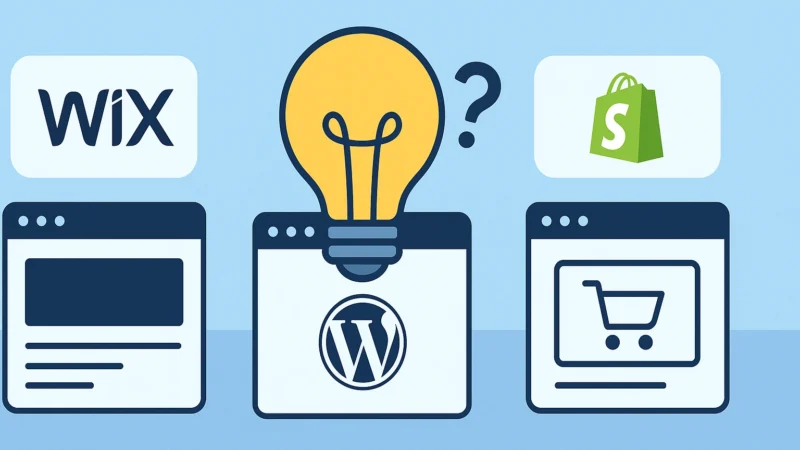
If you’re planning to build a website in 2025, you’ve probably come across three of the most popular platforms: Wix, WordPress, and Shopify. Each one has unique features, strengths, and limitations, so choosing the right one depends on your business needs.

As the owner of Anamul’s Web Services in Warren, MI, I, Anamul Islam, have worked extensively with all three platforms for clients across Metro Detroit. I’m an expert in Wix, WordPress, and Shopify, but I’ll be honest — WordPress is my personal favorite because it’s far more powerful and offers better SEO potential, making it the best long-term choice for most businesses.


1. Wix – Simple and Beginner-Friendly

Wix is known for its easy-to-use, drag-and-drop builder. You don’t need coding skills to create a good-looking website, which makes it popular for small business owners who want to get online quickly.

Pros:

  • Easy learning curve.
  • Wide range of templates.
  • Hosting included.
  • Built-in SEO tools.

Cons:

  • Less flexibility for advanced features.
  • Can be harder to scale as your business grows.

Best For: Small businesses, freelancers, or individuals who need a professional-looking site without heavy customization.

I’ve set up Wix sites for many Metro Detroit clients who needed a simple online presence without a lot of ongoing management.


2. WordPress – Flexible, Powerful, and SEO-Friendly

WordPress is the most widely used website platform in the world. It’s open-source, which means you can customize almost anything. You’ll need hosting and a bit more technical know-how, but the flexibility is unmatched.

Pros:

  • Unlimited customization options.
  • Thousands of themes and plugins.
  • Industry-leading SEO capabilities.
  • Scales easily for large sites.

Cons:

  • Steeper learning curve.
  • Requires regular updates and maintenance.

Best For: Businesses that want full control over their design and features, from small blogs to large e-commerce stores.

As someone who works with all three platforms, I recommend WordPress most often because it gives my Warren, MI and Metro Detroit clients more freedom to grow, adapt, and dominate search rankings over time.


3. Shopify – Built for E-Commerce

Shopify is designed specifically for selling products online. It includes hosting, payment processing, inventory management, and everything you need to run an online store.

Pros:

  • All-in-one e-commerce solution.
  • Easy to manage inventory and orders.
  • Secure payment system built-in.
  • Works with in-person sales via POS systems.

Cons:

  • Monthly fees can add up.
  • Limited flexibility compared to WordPress for non-store features.

Best For: Businesses whose primary goal is to sell products online.

I’ve helped Metro Detroit retailers use Shopify to grow both their online and physical store sales.


Which One Should You Choose?

Here’s a quick way to decide:

  • Wix: You want something quick, simple, and low-maintenance.
  • WordPress: You want maximum flexibility, SEO power, and room to grow.
  • Shopify: You want to focus on selling products online with minimal setup headaches.

Final Thoughts

Choosing the right platform can save you time, money, and stress in the long run. I’ve built successful websites on Wix, WordPress, and Shopify, but when a client asks for the most powerful, scalable, and SEO-friendly option, I point them toward WordPress every time.

If you’re in Warren, MI or anywhere in Metro Detroit, Anamul’s Web Services can help you pick the right platform, design a beautiful site, and optimize it so it brings in customers for years to come.

Website
3 min read

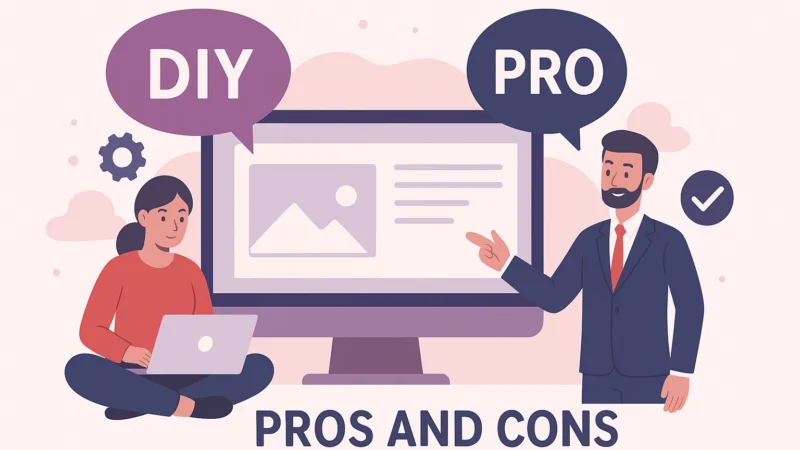
Should You DIY Your Website or Hire a Pro? Pros and Cons

August 13, 2025

Should You DIY Your Website or Hire a Pro? Pros and Cons

When you are starting or growing a business, your website plays a major role in how potential customers see you. One of the first decisions you will face is whether to build your website yourself or hire a professional.

Both options have their benefits and drawbacks, and the right choice depends on your budget, skills, time, and the results you want to achieve.


DIY Website: Pros

Lower Cost

A do-it-yourself website can be much less expensive in the beginning. Website builders like Wix, Squarespace, and WordPress.com offer templates that make it easy to start without hiring a designer.

Full Creative Control

You have control over every detail, including colors, fonts, and layout. If you enjoy design and want to be hands-on, this approach can be appealing.

Quick Setup

With a pre-built template, you can create a basic website in just a few hours or days, especially if you keep it simple.


DIY Website: Cons

Learning Curve

Even the most user-friendly website builders take time to learn. You may spend hours figuring out layouts, adjusting settings, and troubleshooting issues.

Limited Features

Templates are great for basic websites but may not offer the flexibility you need for advanced features like booking systems, custom forms, or detailed SEO work.

Time Away from Your Business

Your time is valuable. The hours you spend building a website are hours you could be spending on customer service, marketing, or sales.


Hiring a Professional: Pros

Experience and Expertise

A professional web designer knows how to create a site that looks polished, loads quickly, works on mobile devices, and performs well in search engines. At Anamul’s Web Services, we build every site with speed, mobile optimization, and SEO in mind.

Custom Design and Features

A professional can create a website that matches your brand perfectly and includes advanced features like e-commerce, online scheduling, or member logins.

Saves You Time

Hiring a designer means you can focus on running your business while the design work is handled for you.


Hiring a Professional: Cons

Higher Upfront Cost

Professional web design is an investment. While it costs more upfront, a high-quality website often pays for itself through increased leads and sales.

Relying on a Designer for Updates

If you do not want to handle updates yourself, you will need to work with your designer for changes. Many professionals, including Anamul’s Web Services, offer training or maintenance plans so you can manage your site confidently.


Which Option Should You Choose?

  • Choose DIY if your budget is very limited, your website is simple, and you have time to learn the tools.
  • Choose a Professional if you want a custom, optimized site that is designed to grow with your business.

Some business owners start with a DIY site as a temporary solution and then upgrade to a professional site when they are ready to invest in a stronger online presence.


Final Thoughts

Your website is more than an online brochure. It is your digital storefront and often the first impression customers will have of your business. Whether you go the DIY route or hire a professional, make sure your site is mobile-friendly, easy to navigate, and clearly communicates what you offer.

If you are unsure which option is best, call 313-212-1124 for a free consultation with Anamul’s Web Services. We can review your options, help you plan your site, and even provide guidance if you decide to build it yourself.

SEO
3 min read

SEO Basics for Small Business Owners: What You Need to Know

August 13, 2025

SEO Basics for Small Business Owners: What You Need to Know

Search Engine Optimization (SEO) might sound like a technical buzzword, but it’s one of the most important tools your small business can use to attract new customers. If you want people to find you online — especially local customers — you need SEO working behind the scenes.

As the owner of Anamul’s Web Services in Warren, MI, I, Anamul Islam, have helped many Metro Detroit small business owners get more leads simply by improving their website’s SEO. In this article, I’ll break down the basics so you can understand what it is, why it matters, and how to start using it to grow your business.


What Is SEO?

SEO is the process of making your website more visible in search engines like Google. The better your SEO, the higher your site will appear when someone searches for the products or services you offer.

For example, if you run a roofing company in Warren, MI and your site is optimized for “roof repair in Metro Detroit,” you’re more likely to show up when someone types that phrase into Google.


Why SEO Matters for Small Businesses

  • More Visibility: SEO helps your business appear where customers are looking — on the first page of Google.
  • Local Reach: For businesses in Metro Detroit, local SEO makes sure you show up when someone searches for your services nearby.
  • Better ROI: SEO brings in customers actively searching for what you offer, which means higher conversion rates.

The Three Core Parts of SEO

1. On-Page SEO

This is everything you do on your website to help search engines understand your content. It includes:

  • Using keywords naturally in your text.
  • Writing descriptive page titles and meta descriptions.
  • Organizing content with headings (H1, H2, H3).
  • Adding alt text to images so search engines know what they show.

2. Off-Page SEO

This focuses on building your site’s authority through outside sources. It includes:

  • Getting other reputable websites to link to yours (backlinks).
  • Being active on social media to drive traffic to your site.
  • Getting listed in local directories like Yelp and Google Business Profile.

3. Technical SEO

This is all about your website’s backend performance, including:

  • Mobile responsiveness.
  • Fast loading speed.
  • Secure connections (HTTPS).
  • Fixing broken links and errors.

At Anamul’s Web Services, I always include a technical SEO check when building or updating a website for my clients.


Quick Tips to Improve Your SEO

  1. Research Keywords: Use free tools like Google Keyword Planner to find what people in your area are searching for.
  2. Create Quality Content: Blog posts, FAQs, and service pages that answer customer questions can help you rank higher.
  3. Claim Your Google Business Profile: This is crucial for local SEO in Metro Detroit.
  4. Keep Your Site Updated: Outdated information can hurt your rankings and your credibility.

Final Thoughts

SEO doesn’t have to be complicated, but it does need consistency. The right strategy can help your business get more calls, more visits, and more sales.

If you’re in Warren, MI or anywhere in Metro Detroit and want a website that’s optimized for search from the start, Anamul’s Web Services can help you build and maintain a strong online presence.

Website
3 min read

How to Write Website Content That Converts Visitors Into Customers

August 13, 2025

How to Write Website Content That Converts Visitors Into Customers

Having a beautiful website is great, but design alone won’t grow your business. The words on your site — your content — are what convince visitors to take action, whether that means calling you, requesting a quote, or making a purchase.

At Anamul’s Web Services in Warren, MI, we help Metro Detroit businesses create content that not only looks good on the page but also drives results. In this guide, you’ll learn how to write website content that captures attention, builds trust, and turns visitors into paying customers.


1. Know Your Audience

Before you write a single sentence, think about who you are speaking to. What are their needs, problems, and goals? The more you understand your target audience, the easier it is to write content that feels personal and relevant.

For example, a contractor in Warren might focus on showing reliability and craftsmanship, while a dentist in Detroit might highlight comfort, safety, and convenience.


2. Start with a Clear Value Proposition

When someone lands on your site, they should quickly understand what you do and why they should choose you. Your headline and opening lines should clearly state the benefit of working with your business.

Instead of saying:

“We offer painting services in Metro Detroit.”

Try:

“Transform your home with professional painting services that add beauty, value, and lasting quality — trusted by Metro Detroit homeowners for over a decade.”


3. Focus on Benefits, Not Just Features

Features explain what you offer. Benefits explain why it matters to your customer.

Example:

  • Feature: “We use high-quality, eco-friendly paint.”
  • Benefit: “Enjoy vibrant colors that last for years while keeping your home safe and environmentally friendly.”

When you highlight the benefits, you connect emotionally with your readers, making them more likely to take action.


4. Use Clear and Simple Language

Avoid industry jargon or complicated phrases. Your goal is to make your content easy to read and understand. Use short sentences, bullet points, and headings to break up text.


5. Include Strong Calls to Action (CTAs)

Every page on your site should guide visitors toward the next step. CTAs should be clear, visible, and action-oriented. Examples include:

  • “Call today for a free estimate”
  • “Schedule your consultation now”
  • “Get started with your project”

At Anamul’s Web Services, we strategically place CTAs throughout your site so potential customers never have to guess how to contact you.


6. Build Trust with Social Proof

People trust what others say about you more than what you say about yourself. Include testimonials, reviews, case studies, or before-and-after photos to prove you deliver on your promises.


7. Optimize for SEO Without Overstuffing Keywords

Search Engine Optimization (SEO) ensures that your site appears when people in Metro Detroit search for your services. Use relevant keywords naturally throughout your content — in headings, body text, and meta descriptions — but avoid overusing them to the point it feels unnatural.


8. Keep It Fresh and Updated

A stale website sends the wrong message. Update your content regularly with new photos, blog posts, service updates, and promotions. Not only does this help with SEO, but it also shows customers that your business is active and engaged.


Final Thoughts

Your website content should do more than fill space. It should engage your audience, answer their questions, and guide them toward becoming your customer.

If you want a website that not only looks professional but also converts visitors into customers, call 313-212-1124 for a free consultation with Anamul’s Web Services. We can help you write or refine your content so it delivers results for your business.

Google Analytics
3 min read

How to Track Website Traffic and Leads Using Google Analytics

August 13, 2025

How to Track Website Traffic and Leads Using Google Analytics

Your website might be getting visitors every day — but do you know who they are, where they’re coming from, and what actions they’re taking? Without tracking, you’re running your online presence in the dark.

Google Analytics is one of the best free tools for understanding how people interact with your website. At Anamul’s Web Services in Warren, MI, we help Metro Detroit businesses set up and use Google Analytics to turn raw numbers into actionable insights.


Why Tracking Your Website’s Performance Matters

If you want to grow your business, you need to know:

  • How many people visit your site each day or month
  • Which pages are most popular
  • How visitors find your site (Google search, social media, ads, referrals, etc.)
  • Which actions lead to sales, calls, or form submissions

Tracking this information helps you make smart decisions about your marketing and website strategy.


Getting Started with Google Analytics

1. Create a Google Analytics Account

If you don’t already have one, sign up at analytics.google.com. It’s free and only takes a few minutes.

2. Add the Tracking Code to Your Website

Once you create a property for your site, Google will give you a tracking code. This small piece of code needs to be added to every page of your website — usually through your site’s header.

At Anamul’s Web Services, we handle this step for our clients so everything is installed correctly and starts collecting data immediately.


Understanding Key Metrics

Some of the most important metrics to pay attention to include:

  • Users: The number of unique visitors to your site
  • Sessions: The total visits, including repeat visits
  • Bounce Rate: The percentage of people who leave after viewing only one page
  • Average Session Duration: How long people stay on your site
  • Traffic Sources: How visitors found your site
  • Conversions: Actions that matter most, like filling out a contact form or making a purchase

Tracking Leads and Conversions

Google Analytics lets you set up “Goals” to track when visitors take specific actions, such as:

  • Submitting a contact form
  • Clicking your phone number
  • Downloading a file or brochure
  • Purchasing a product

These goals help you measure the real-world impact of your website traffic.


Using Data to Improve Your Website

Tracking is only valuable if you use the insights to make changes. For example:

  • If a page gets high traffic but low conversions, it may need a stronger call to action.
  • If most visitors come from mobile devices, ensure the mobile experience is perfect.
  • If your bounce rate is high, test different layouts or improve your page load speed.

How Anamul’s Web Services Can Help

We don’t just install Google Analytics — we teach our clients how to understand the numbers and make smart business decisions based on them. From tracking leads to finding your best-performing pages, we help you turn data into growth.


Final Thoughts

Google Analytics is one of the most valuable tools a business owner can use. By understanding your audience and how they interact with your site, you can make better marketing decisions and increase your sales.

If you want help setting up or understanding Google Analytics, call 313-212-1124 for a free consultation with Anamul’s Web Services. We’ll guide you through the process and show you how to track your website’s performance like a pro.

Website
3 min read

How to Set Up a Simple and Secure Online Payment System for Your Website

August 13, 2025

How to Set Up a Simple and Secure Online Payment System for Your Website

Accepting payments online can make life easier for both you and your customers. Whether you run an e-commerce store, a home service business, or a small shop in Warren, MI, having a secure and convenient payment system can help you close sales faster and serve more customers across Metro Detroit.

At Anamul’s Web Services, I, Anamul Islam, often help local businesses add payment features to their websites. The process is simpler than many people think when you know the right steps. Here’s how to get started.


Step 1: Choose a Reliable Payment Processor

Your first decision is selecting a payment processor. Some of the most popular options are:

  • Stripe – Highly customizable and works with many website platforms.
  • PayPal – Well-known and trusted by customers.
  • Square – Easy to integrate and works well for service businesses.

The best choice depends on your industry, the volume of transactions you expect, and the features you need. For example, many Metro Detroit service providers I work with prefer Stripe for recurring payments and Square for in-person jobs that also need online invoicing.


Step 2: Set Up Your Business Account

To accept payments legally, you’ll need a business account with your chosen processor. This usually involves providing your business name, contact details, and tax information. The approval process is typically quick, and once your account is active, you can start connecting it to your website.


Step 3: Add Payment Buttons or Checkout Pages to Your Website

Most payment processors provide ready-made tools you can embed directly into your site. You might add a “Pay Now” button, an invoice payment link, or a full checkout page for multiple products.

At Anamul’s Web Services, I integrate these tools seamlessly so they match your site’s design and branding. This gives customers a smooth experience from browsing to paying.


Step 4: Use SSL Encryption for Security

Security is critical when dealing with online payments. An SSL certificate encrypts the data your customers enter, protecting sensitive information like credit card details. You can tell if a site is secure by looking for “https” in the address bar.

If your site doesn’t already have SSL, your hosting provider or web designer can install it quickly. I make sure every site I build has SSL from the start.


Step 5: Display Trust Signals

Trust signals reassure customers that their payment will be processed securely. These include:

  • Security badges from your payment provider.
  • Logos of accepted payment methods (Visa, MasterCard, PayPal, etc.).
  • Customer testimonials about smooth transactions.

These small details can help increase conversions.


Step 6: Test Your Payment System

Before you launch, run several test transactions. This helps confirm that payments process correctly, receipts are sent, and funds arrive in your account. I always run these tests for my clients before going live.


Step 7: Keep Everything Updated

Technology changes quickly, and payment processors often release updates for better security. Log into your payment dashboard regularly to ensure everything is current and running smoothly.


Final Thoughts

Adding a secure online payment system can make your business more accessible and profitable. Whether you need a quick “Pay Now” button or a full e-commerce checkout, the process is straightforward when you follow the right steps.

If you’re in Warren, MI or anywhere in Metro Detroit and want professional help setting up online payments, Anamul’s Web Services can make sure your system is secure, user-friendly, and ready to take payments immediately.

Google
3 min read

How to Get Your Business on Google Maps and Yelp

August 13, 2025

How to Get Your Business on Google Maps and Yelp

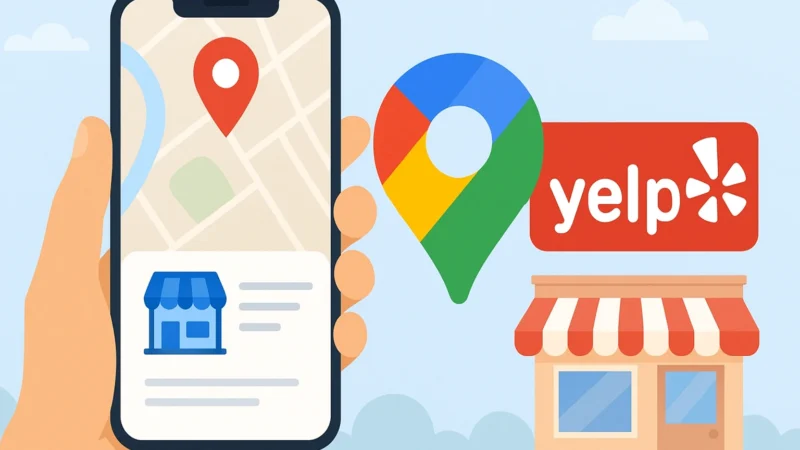
If you run a business in 2025, showing up on Google Maps and Yelp isn’t optional — it’s essential. These platforms help customers find you, learn about your services, and decide whether to choose you over a competitor.

As the owner of Anamul’s Web Services in Warren, MI, I, Anamul Islam, have helped many Metro Detroit businesses claim and optimize their Google and Yelp listings. In this guide, I’ll walk you through the steps to get your business listed and make the most of these powerful tools.


Why Being on Google Maps and Yelp Matters

  • Visibility – People searching for businesses nearby often use Google Maps or Yelp to find options.
  • Trust – Verified listings with photos and reviews inspire confidence.
  • SEO Boost – A strong Google Business Profile and Yelp page can help your website rank higher in local searches.

When someone searches “plumber near me” or “restaurant in Warren, MI,” a properly optimized listing makes you more likely to appear.


Step 1: Create or Claim Your Google Business Profile

  1. Go to Google Business Profile.
  2. Sign in with your Google account.
  3. Search for your business name to see if a listing already exists. If it does, claim it. If not, create a new one.
  4. Enter your business details — name, address, phone number, website, and category.
  5. Verify your business. Google usually sends a postcard with a code to your physical address, but phone or email verification is sometimes available.

Pro tip: Add your business hours, a detailed description, and high-quality photos of your work or products.


Step 2: Set Up Your Yelp Business Page

  1. Visit Yelp for Business Owners.
  2. Search for your business name. Claim it if it exists, or create a new listing.
  3. Fill in your contact details, service areas, and business description.
  4. Upload clear, attractive images — photos are one of the first things Yelp users notice.

Step 3: Keep Your Information Consistent

Your name, address, and phone number (NAP) should match exactly across Google, Yelp, your website, and any other directory listings. Even small differences, like “St.” vs. “Street,” can cause confusion for customers and search engines.


Step 4: Encourage Reviews

Positive reviews help you stand out and can improve your rankings. Ask satisfied customers to leave a review on both Google and Yelp. Respond to all reviews — thank customers for positive feedback and address concerns politely if someone leaves a negative review.


Step 5: Post Updates and Photos Regularly

Google and Yelp both allow you to post updates. Use these to share promotions, new services, or seasonal tips. Fresh content signals to potential customers that your business is active and engaged.


Step 6: Monitor and Respond Quickly

Check your Google and Yelp pages regularly. Respond to messages and questions promptly — this builds trust and can turn a casual browser into a paying customer.


Final Thoughts

Getting your business on Google Maps and Yelp is one of the easiest and most cost-effective ways to reach more customers. A well-optimized listing can drive traffic to your website, generate calls, and help you dominate local search results.

If you’re in Warren, MI or anywhere in Metro Detroit and want expert help setting up and optimizing your Google or Yelp profiles, Anamul’s Web Services can handle the process for you so you can focus on running your business.

Website design & Development
4 min read

How to Build an Effective Website for Medical Practices

August 12, 2025

How to Build an Effective Website for Medical Practices

In today’s digital world, your medical practice’s website is often the first point of contact for patients. It’s where they go to learn about your services, book appointments, and decide whether they trust you with their care. As the owner of Anamul’s Web Services in Warren, MI, I, Anamul Islam, have helped many healthcare providers across Metro Detroit build websites that not only look professional but also improve patient communication and satisfaction.

In this article, I’ll share the exact strategies I use to create effective medical websites that are secure, user-friendly, and designed to inspire trust.


Step 1: Understand Your Patients’ Needs

Every great website starts with understanding your audience. For medical practices, your patients are looking for three main things:

  1. Clarity – They need to know what services you offer and how to access them.
  2. Accessibility – They want to find information quickly, whether they’re on a phone, tablet, or computer.
  3. Trust – They need reassurance that your practice is professional, credible, and compliant with healthcare regulations.

Before starting the design, I always work with my Metro Detroit healthcare clients to identify their most common patient concerns and make sure those answers are easy to find online.


Step 2: Prioritize a Professional, Welcoming Design

A medical website should convey professionalism, compassion, and cleanliness. This means using a clean layout, easy-to-read fonts, and a calming color palette. For example, blues and greens can help create a sense of trust and calm, while a clutter-free layout keeps patients focused on the information they need.

Pro tip: Always include high-quality photos of your office, staff, or patient care areas to make the site more personal and relatable.


Step 3: Make Navigation Simple and Intuitive

Patients may be visiting your site when they’re stressed, sick, or in a hurry. Your navigation should be straightforward, with key pages clearly labeled. At minimum, I recommend having:

  • Home Page – Overview of your practice and what you offer.
  • About Us – Introduce your doctors, nurses, and staff.
  • Services – List and explain treatments and specialties.
  • Patient Resources – Forms, insurance info, and educational materials.
  • Contact/Appointment Booking – Phone number, email, and online scheduling.

Step 4: Add Online Appointment Booking

In today’s fast-paced world, many patients prefer booking appointments online rather than calling the office. At Anamul’s Web Services, I integrate secure appointment scheduling tools that sync with your calendar and send automated reminders. This saves your staff time and makes the patient experience smoother.


Step 5: Ensure HIPAA Compliance and Security

Medical websites must protect patient information. This means:

  • Using an SSL certificate to encrypt all data.
  • Ensuring contact forms and patient portals are HIPAA-compliant.
  • Limiting the collection of unnecessary personal information.

If you’re unsure how to handle this, working with a web designer familiar with healthcare regulations — like myself — can save you from costly mistakes.


Step 6: Optimize for Mobile Devices

A large percentage of patients in Metro Detroit will access your site from a phone. Your website must load quickly and look great on smaller screens. A responsive design ensures text is easy to read, buttons are big enough to tap, and images display correctly on all devices.


Step 7: Focus on Local SEO

To attract patients in your area, you need to appear in local search results. I recommend:

  • Adding your city name (e.g., “Warren, MI” or “Metro Detroit”) to your service descriptions.
  • Creating a Google Business Profile and linking it to your site.
  • Encouraging happy patients to leave Google reviews.

These simple steps can help your practice appear when someone searches “doctor near me” or “family physician in Warren, MI.”


Step 8: Provide Patient Education Content

A blog or resources section with articles about health tips, treatments, or frequently asked questions can establish you as an authority and improve your search rankings. For example, an urgent care center could post seasonal advice like “How to Tell If You Have the Flu or a Cold.”


Step 9: Keep It Updated

A medical website is not something you “set and forget.” Outdated hours, staff lists, or insurance info can frustrate patients. At Anamul’s Web Services, I offer ongoing maintenance so Metro Detroit medical practices always have accurate, up-to-date information online.


Final Thoughts

An effective medical practice website is professional, secure, and patient-focused. It should be easy to navigate, accessible on any device, and optimized for local search. Whether you’re a dentist in Detroit, a pediatrician in Warren, or a specialist anywhere in Metro Detroit, Anamul’s Web Services can help you create a website that supports your patients and grows your practice.

Website design & Development
3 min read

How Much Does It Cost to Hire a Professional Web Designer in 2025?

August 12, 2025

How Much Does It Cost to Hire a Professional Web Designer in 2025?

If you’re thinking about launching or redesigning a website in 2025, one of the first questions that probably comes to mind is: How much will it cost? The truth is, there’s no one-size-fits-all answer. Web design prices can vary widely depending on the complexity of the project, the designer’s experience, and the specific needs of your business.

As the owner of Anamul’s Web Services in Warren, MI, I, Anamul Islam, work with businesses all over Metro Detroit to create websites that fit their goals and their budget. In this article, I’ll break down what you can expect to pay for web design in 2025 and what factors affect the cost.


1. The Range of Web Design Costs in 2025

For a general idea, here’s what many businesses can expect:

  • Basic Website (small business or personal site): $500 – $2,500
  • Standard Business Website (custom design, multiple service pages, basic SEO): $2,500 – $5,000
  • E-commerce Website (online store, payment integration, product catalog): $3,500 – $8,000+
  • Complex or Custom Solutions (membership sites, advanced integrations, booking systems): $5,000 – $15,000+

These numbers are averages. The exact cost depends on the features, the amount of content, and how customized the design is.


2. Factors That Influence Web Design Pricing

Scope of the Project

A simple, brochure-style website is far less expensive than a large e-commerce site with hundreds of products. The more features and functionality you need, the higher the price.

Design Customization

Custom designs that are built from scratch take more time than pre-designed templates, so they cost more. At Anamul’s Web Services, I offer both options, allowing Metro Detroit businesses to choose what works best for them.

Content Creation

Do you already have professional photos and copy, or will you need these created for you? Copywriting, photography, and video production can all add to the final cost.

SEO and Optimization

If you want your site to rank well in search engines, investing in SEO from the start is important. Basic SEO is often included in design packages, but advanced strategies require more work.

Ongoing Maintenance

Some businesses choose to maintain their own site, while others prefer a monthly service package. Maintenance plans at Anamul’s Web Services include updates, backups, and security monitoring, so your site always runs smoothly.


3. The Value of Hiring a Professional

While DIY website builders are available, they often come with limitations. A professionally designed website:

  • Looks more polished and trustworthy.
  • Loads faster and works better on mobile devices.
  • Can be customized to fit your branding exactly.
  • Is optimized for search engines from the start.

Many of my clients in Warren, MI tell me that hiring a professional paid for itself quickly in the form of more leads and sales.


4. How to Get the Best Value

To make the most of your investment:

  • Be clear about your goals and must-have features before getting quotes.
  • Ask for examples of similar projects your designer has completed.
  • Choose a designer who understands your local market — in my case, Metro Detroit’s small business community.

Final Thoughts

In 2025, web design costs can range from a few hundred dollars to several thousand, depending on your needs. The key is to see your website as a long-term investment in your business’s growth.

If you’re in Warren, MI or anywhere in Metro Detroit and want a clear, transparent quote for your next website project, Anamul’s Web Services can walk you through your options and create a design that works for your goals and your budget.

Website Speed Performance
3 min read

How Fast Loading Speed Can Make or Break Your Website’s Performance

August 12, 2025

How Fast Loading Speed Can Make or Break Your Website’s Performance

When it comes to websites, speed matters more than most business owners realize. A beautiful website with great content can still lose customers if it takes too long to load. In today’s fast-paced world, visitors expect a site to appear in seconds — if it doesn’t, they’ll leave and go to a competitor.

At Anamul’s Web Services in Warren, MI, we help Metro Detroit businesses improve loading speeds so their sites not only look good but also perform at the highest level.


Why Website Speed Is So Important

1. First Impressions Happen Fast

It only takes a few seconds for someone to decide whether to stay on your site. If your pages take too long to load, many visitors won’t even wait to see what you have to offer.


2. Speed Directly Impacts Sales and Leads

Studies show that every extra second of load time can reduce conversions. For example, if you own a service business in Metro Detroit, even a one-second delay could mean fewer quote requests, calls, or online bookings.


3. Google Uses Speed as a Ranking Factor

Google wants to send users to sites that offer a good experience, and speed is part of that. A faster site can help improve your rankings, especially for local searches in competitive markets like Warren, MI.


4. Mobile Users Are Less Patient

Mobile visitors expect even faster load times. If your mobile site is slow, you could be losing out on the majority of potential customers who search for businesses on their phones.


Common Reasons Websites Are Slow

  • Large, uncompressed images
  • Outdated website code or themes
  • Too many plugins or scripts running in the background
  • Cheap or overloaded hosting servers
  • Lack of browser caching and content delivery optimization

How to Improve Your Website’s Speed

  • Compress Images: Use tools that reduce file size without sacrificing quality.
  • Use Reliable Hosting: A quality host can make a huge difference in performance.
  • Clean Up Your Site: Remove unnecessary plugins, scripts, and outdated code.
  • Enable Caching: This stores parts of your site so they load faster for repeat visitors.
  • Optimize for Mobile: Make sure mobile pages are light and streamlined.

How Anamul’s Web Services Can Help

We run detailed speed audits to find exactly what’s slowing your site down, then make targeted improvements to boost performance. Whether it’s optimizing images, cleaning up code, or moving you to a better hosting provider, we ensure your site loads fast for every visitor.


Final Thoughts

Fast load times can mean the difference between gaining a new customer or losing them to a competitor. A slow website not only hurts your search rankings but also leaves a poor impression on potential clients.

If you want a site that loads quickly and keeps visitors engaged, call 313-212-1124 for a free consultation with Anamul’s Web Services. We can evaluate your current speed, make the necessary improvements, and help you deliver a faster, smoother online experience.

Website
4 min read

Beyond a Website: How to Grow Your Digital Presence as a Small Business

August 12, 2025

Beyond a Website: How to Grow Your Digital Presence as a Small Business

Having a great website is essential, but it’s just one piece of your online presence. If you want your small business to stand out, you need a strategy that extends beyond your homepage. Customers are spending more time on search engines, social media, and review sites, which means your business needs to be visible across multiple platforms.

As the owner of Anamul’s Web Services in Warren, MI, I, Anamul Islam, have helped countless small businesses across Metro Detroit turn their websites into powerful hubs for their digital marketing. In this article, I’ll share practical ways to grow your digital presence and connect with more customers.


1. Optimize Your Google Business Profile

One of the fastest ways to get found locally is by having a fully optimized Google Business Profile. This listing helps you appear in Google Maps and local search results when someone nearby is looking for your services.

Tips for optimization:

  • Add accurate contact details and business hours.
  • Upload high-quality photos of your work or products.
  • Post updates about promotions, events, or new services.
  • Encourage satisfied customers to leave reviews.

Many of my Metro Detroit clients see a big boost in calls and website visits just from improving their Google profile.


2. Get Listed on Local Directories and Review Sites

In addition to Google, make sure your business is listed on Yelp, Bing Places, Nextdoor, and industry-specific directories. Having consistent information (name, address, phone number) across all these sites helps with SEO and builds trust with customers.


3. Create and Maintain Social Media Profiles

Your website is the core of your online presence, but social media is where you can connect with customers in real time. Choose platforms that fit your audience — Facebook and Instagram are great for visual content, while LinkedIn works well for professional services.

Post regularly, share updates, and respond to comments or messages quickly. Social media is a great way to show your business’s personality and build customer relationships.


4. Start a Blog or Resource Center

A blog isn’t just for writers — it’s one of the most effective tools for boosting your SEO. By posting articles that answer your customers’ questions, you can position yourself as an expert in your industry.

For example, if you’re a contractor, write about “The Top 5 Home Improvements for Increasing Value in Warren, MI” or “How to Prepare Your Home for Winter in Metro Detroit.” At Anamul’s Web Services, I help clients create blog content that attracts visitors and keeps them coming back.


5. Build an Email List

Email marketing is still one of the highest-return strategies for small businesses. Offer something valuable, like a discount or free guide, in exchange for a customer’s email address. Use this list to send updates, promotions, and helpful tips.


6. Engage in Local Community Events

Being present in the community — both in person and online — can help grow your brand. Sponsor local events, participate in fairs, or partner with other small businesses. Then, share those moments on your website and social media to show your involvement.


7. Track and Adjust Your Strategy

Use tools like Google Analytics and Facebook Insights to see where your traffic is coming from and which strategies are working best. This data helps you focus on what’s bringing the most results.


Final Thoughts

A website is the foundation of your digital presence, but it’s only the beginning. By combining a strong website with Google optimization, social media engagement, blogging, and local outreach, you can build a brand that customers see and trust everywhere they look online.

If you’re in Warren, MI or anywhere in Metro Detroit, Anamul’s Web Services can help you create a full digital strategy that goes beyond your website and gets your business noticed.

Logo
4 min read

Beginner’s Guide to Creating a Logo with Canva

August 12, 2025

Beginner’s Guide to Creating a Logo with Canva

A great logo is one of the most important elements of your brand. It’s the first thing people recognize, and it helps create a lasting impression. The good news is you don’t have to hire a big design agency or spend thousands of dollars to get started. With Canva, a free and beginner-friendly design tool, you can create a professional-looking logo in just a few hours.

As the owner of Anamul’s Web Services in Warren, MI, I, Anamul Islam, often guide small business owners in Metro Detroit through the process of creating logos that reflect their brand’s personality. In this guide, I’ll walk you step-by-step through how to design your own logo in Canva.


Step 1: Sign Up and Open Canva

If you don’t already have a Canva account, head to www.canva.com and sign up for free. Canva also offers a Pro version with extra features, but the free version has plenty of tools for logo design.

Once you’re logged in, search for “Logo” in the search bar. Canva will display a variety of pre-sized templates to get you started.


Step 2: Choose a Template That Matches Your Industry

Canva has thousands of ready-to-use logo templates. These can be filtered by industry, style, and theme. For example:

  • Contractors and home services might choose bold, strong fonts.
  • Medical practices often use clean, minimal designs.
  • Creative businesses might opt for playful and colorful layouts.

Even though you’re starting with a template, you’ll customize it heavily so your logo is unique.


Step 3: Pick Your Colors and Fonts

Your logo’s color scheme should match your brand identity. If you already have a website, choose colors that complement it. For example, many Metro Detroit businesses I work with prefer a palette that ties into their local style or industry—earthy tones for construction companies, fresh greens for landscaping, or calming blues for healthcare.

Fonts are just as important. Avoid overly decorative fonts that are hard to read. Canva’s library offers both classic and modern font options, so choose something simple and professional.


Step 4: Add Icons or Graphics

Canva has a massive selection of icons and graphics. The right icon can instantly communicate what your business does. For example:

  • A paintbrush for a painting company.
  • A hammer for a contractor.
  • A leaf for a landscaping service.

Just be sure not to overload your design with too many elements—simplicity is key for logo design.


Step 5: Customize and Adjust Layouts

Play around with the positioning of your text and icons. Make sure your business name is clear and readable, even at smaller sizes.

One tip I share with my Anamul’s Web Services clients is to check how the logo looks in both color and black-and-white versions. A good logo works in multiple formats.


Step 6: Download Your Logo in the Right Formats

When you’re happy with your design, click the download button in Canva. For most uses, a PNG file with a transparent background is best—it lets you place your logo on any background without a white box around it. You may also want a JPG for online use and a PDF for print materials.


Step 7: Use Your Logo Everywhere

Once you have your logo, start using it consistently on your website, social media, email signatures, business cards, and marketing materials. Consistency builds brand recognition.


Final Thoughts

Creating a logo in Canva is an affordable and straightforward way to get your brand noticed. With a little creativity and attention to detail, you can design something that represents your business well.

If you’re in Warren, MI or anywhere in Metro Detroit and want help refining your Canva design or creating a custom logo, Anamul’s Web Services is here to make sure your brand stands out.

Website design & Development
4 min read

A Step-by-Step Guide to Designing a Website from Start to Finish

August 12, 2025

A Step-by-Step Guide to Designing a Website from Start to Finish

Designing a website can feel like a big project, especially if you’re starting from scratch. The good news is that with the right plan, you can go from idea to launch without feeling overwhelmed. As the owner of Anamul’s Web Services, based in Warren, MI and serving the Metro Detroit area, I’ve helped countless small business owners bring their vision to life. In this guide, I’ll walk you through the exact process I use to design professional, high-performing websites from start to finish.


Step 1: Define Your Goals and Audience

Before you even think about colors or layouts, you need to know what your website should do and who it’s for. Are you trying to generate leads, sell products online, showcase your work, or provide information?

Knowing your audience is equally important. A contractor in Metro Detroit might need a portfolio with before-and-after photos, while a medical office in Warren, MI needs clear service descriptions and easy appointment booking. The more specific you are about your audience, the easier it is to design a website that works for them.

Pro tip: At Anamul’s Web Services, I always start by asking clients to picture their ideal customer and write down what that person needs from the site. This keeps every design decision focused on results.


Step 2: Choose the Right Platform

Once you have a clear goal, the next step is choosing the right platform. The three most popular choices are:

  • WordPress – Highly customizable and great for businesses that need flexibility.
  • Wix – User-friendly and perfect for small sites that need to get online quickly.
  • Shopify – The go-to for e-commerce.

Your choice will depend on your budget, technical skills, and long-term plans. Many Metro Detroit businesses I work with choose WordPress because it offers the best balance of customization, performance, and scalability.


Step 3: Plan Your Website Structure

Think of your website as a house — before you build, you need a blueprint. A good structure includes:

  • Home page – Your first impression.
  • About page – Share your story and build trust.
  • Services or Products page – Showcase what you offer.
  • Contact page – Make it easy for people to reach you.
  • Blog – For SEO and content marketing.

Organizing these pages before you start designing saves time and ensures nothing is overlooked.


Step 4: Design Your Layout and Visual Style

Now comes the fun part — choosing colors, fonts, and layouts. Your design should reflect your brand’s personality and be consistent across all pages. For example, a high-end law firm in Detroit might use muted colors and elegant fonts, while a kid’s party service in Warren might go for bright colors and playful design.

Pro tip: Keep your design clean and uncluttered. Too many colors, fonts, or animations can distract visitors from your main message.


Step 5: Develop the Website

Once the design is finalized, it’s time to turn it into a functioning website. This involves:

  • Installing your chosen platform
  • Adding your content and images
  • Setting up navigation menus
  • Configuring plugins or integrations (like online booking or payment systems)

If you’re not tech-savvy, this is where hiring a professional like Anamul’s Web Services can save you hours of frustration.


Step 6: Optimize for SEO

Even the best-looking website won’t help your business if no one can find it. SEO (Search Engine Optimization) ensures your site appears in Google search results when people in Metro Detroit look for your services. This includes:

  • Using keywords naturally in your content
  • Optimizing images for faster loading
  • Writing descriptive page titles and meta descriptions
  • Setting up Google Analytics and Google Search Console

Step 7: Test Before Launch

Before going live, test your site on different devices and browsers to make sure it looks and works correctly everywhere. Check that:

  • Forms work and send emails properly
  • Links are correct
  • Images load quickly
  • The site is mobile-friendly

Step 8: Launch and Maintain Your Site

Once testing is complete, it’s time to launch. But remember, a website is never truly “finished.” Regular updates, new content, and ongoing security checks keep it performing well.

At Anamul’s Web Services, I offer maintenance packages for Metro Detroit businesses so their websites stay secure, updated, and optimized for growth.


Final Thoughts

Building a website doesn’t have to be stressful. By breaking it down into steps — from goal setting and platform choice to design, development, and maintenance — you can create a site that not only looks great but also helps your business grow.

If you’re in Warren, MI or anywhere in the Metro Detroit area and need help designing a professional website, Anamul’s Web Services is here to guide you every step of the way.

Website
3 min read

10 Things Every Small Business Website Needs in 2025

August 12, 2025

10 Things Every Small Business Website Needs in 2025

A website is often the first impression customers have of your business, and in 2025, expectations are higher than ever. People want sites that are fast, easy to navigate, and packed with useful information. If your website is missing key elements, you could be losing potential customers without even realizing it.

As the owner of Anamul’s Web Services in Warren, MI, I, Anamul Islam, work with small businesses across Metro Detroit to build websites that not only look great but also help drive real results. Based on my experience, here are the 10 must-have features every small business website should include in 2025.


1. Mobile-Friendly Design

With most people browsing on their phones, having a mobile-responsive website is no longer optional. Your site should look and work just as well on a smartphone as it does on a desktop computer. At Anamul’s Web Services, I make sure every site is optimized for all devices from the start.


2. Fast Load Speed

A slow site can cost you customers. Studies show that visitors will leave if a page takes more than three seconds to load. Compress your images, use reliable hosting, and avoid unnecessary code to keep your site running fast.


3. Clear Navigation

Your customers should be able to find what they need in just a few clicks. Keep menus simple and organized, with clear labels for pages like “Home,” “Services,” “About Us,” and “Contact.”


4. Strong Calls to Action (CTAs)

Don’t leave visitors wondering what to do next. Use clear CTAs like “Call Now,” “Get a Free Quote,” or “Book an Appointment” to guide them toward taking action.


5. Search Engine Optimization (SEO)

A beautiful site is worthless if no one can find it. Use relevant keywords, meta descriptions, and optimized images to help your site appear higher in search results. For local businesses, include city names like Warren, MI or Metro Detroit to target nearby customers.


6. About Us Page

Customers want to know who they’re doing business with. An “About Us” page that shares your story, values, and team members helps build trust.


7. Service or Product Pages

Each service or product should have its own dedicated page with a detailed description, benefits, and high-quality images. This improves both user experience and SEO.


8. Contact Information

Your phone number, email address, and business location should be easy to find on every page. Adding a contact form can make it even easier for customers to reach you.


9. Social Media Links

Linking your social media profiles allows customers to follow your updates and engage with your brand beyond your website.


10. Customer Testimonials

Positive reviews are powerful. Showcase them on your homepage or a dedicated testimonials page to build credibility. If you have customers in Metro Detroit, mentioning their city can also help with local SEO.


Final Thoughts

In 2025, small business websites need to be more than just online brochures — they should be active marketing tools that attract, inform, and convert visitors into customers. By including these 10 essential elements, you can ensure your website works for you 24/7.

If you’re in Warren, MI or anywhere in Metro Detroit and want a website that includes all these features, Anamul’s Web Services can help you build it right from the start.

Website design & Development
3 min read

5 Common Mistakes Business Owners Make When Building Their Own Website

August 12, 2025

5 Common Mistakes Business Owners Make When Building Their Own Website

Building your own website can seem like a cost-effective and straightforward option, especially with so many DIY website builders available. However, without the right knowledge and strategy, it’s easy to make mistakes that can hurt your business online.

At Anamul’s Web Services in Warren, MI, we often work with Metro Detroit business owners who started with a do-it-yourself website but found it wasn’t bringing in the results they expected. Here are five of the most common mistakes business owners make when building their own site and how to avoid them.


1. Ignoring Mobile Optimization

More than half of all internet traffic now comes from smartphones. If your website isn’t mobile-friendly, visitors will have a frustrating experience and leave. Responsive design ensures your site adjusts to any screen size, whether it’s a phone, tablet, or desktop.

Tip: Test your site on different devices before launching to make sure everything looks and functions properly.


2. Overloading the Design

It can be tempting to use multiple fonts, colors, and animations, but a busy design can overwhelm visitors and make your site look unprofessional. A clean, consistent design not only looks better but also helps your content stand out.

Tip: Stick to a limited color palette, consistent font choices, and simple layouts that guide the user’s eye.


3. Weak or Missing SEO

Even the most attractive website won’t bring in customers if no one can find it. Many DIY websites lack proper SEO (Search Engine Optimization), which means they won’t appear in search results for relevant keywords.

Tip: Use keywords naturally in your text, optimize page titles and meta descriptions, and include local search terms like Warren, MI or Metro Detroit if you serve those areas.


4. No Clear Calls to Action

Visitors need to know what to do next. If your site doesn’t clearly guide them to call, email, or request a quote, they may leave without taking action.

Tip: Add call-to-action buttons like “Call Now,” “Request a Quote,” or “Schedule an Appointment” to every page.


5. Poor Loading Speed

Slow websites are one of the biggest turn-offs for users. If your site takes more than a few seconds to load, you could lose potential customers before they even see your content.

Tip: Compress images, remove unnecessary plugins, and use a quality hosting provider to improve speed.


How Anamul’s Web Services Can Help

We design websites that are fast, mobile-friendly, SEO-optimized, and focused on driving results. If your DIY site isn’t performing, we can help improve it or create a new one that meets your goals.


Final Thoughts

While building your own website can save money upfront, avoiding these common mistakes will save you time, frustration, and lost opportunities. A well-designed, user-friendly site can make a big difference in how customers see and choose your business.

If you’re ready to create or improve your website, call 313-212-1124 for a free consultation with Anamul’s Web Services. We can review your current site, offer guidance, and build a professional online presence that works for your business.

Logo
3 min read

Best Logo Styles for 2025 Brands

July 22, 2025

Best Logo Styles for 2025 Brands

As we dive deeper into 2025, branding is evolving at lightning speed. In a world flooded with noise, your logo isn’t just a visual—it’s the anchor of your brand identity. Whether you’re launching a new startup, rebranding an established business, or designing for clients, staying on top of logo trends is essential.

This year, brands are leaning into clarity, emotion, and innovation. Here’s a breakdown of the top logo styles dominating 2025 — and why they work.


1. Bold Minimalism with a Twist

Minimalist logos continue to reign, but 2025 adds a new flavor — expect bolder geometry, intentional asymmetry, and unexpected accent details. These designs are clean yet distinctive, stripping away the unnecessary while adding a hint of visual intrigue.

Why it works:
It scales beautifully, adapts across mediums, and builds immediate brand recognition.

Example Industries:
Tech startups, SaaS platforms, wellness brands.


2. Abstract Geometry

Abstract logos are becoming more than shapes — they’re metaphors. In 2025, expect to see geometric forms representing innovation, motion, or even emotion. Abstract designs allow flexibility in branding without being tied to literal interpretation.

Why it works:
Abstract designs are open to interpretation, making them memorable and versatile across cultures.

Example Industries:
Fintech, AI, fashion tech, architecture.


3. Retro-Futuristic Wordmarks

Wordmarks aren’t going away — they’re evolving. We’re seeing custom typography that merges nostalgia with modern flair: think Y2K meets clean sans-serifs. These logo styles feel fresh yet familiar, hitting the sweet spot of retro vibes and modern clarity.

Why it works:
Typography-driven logos are timeless, and the custom flair makes them unique.

Example Industries:
Creative agencies, music & entertainment, lifestyle brands.


4. Hand-Drawn Authenticity

With AI-generated visuals becoming more common, there’s a growing desire for logos that feel human and imperfect. Hand-drawn or sketch-inspired logos are making a strong comeback, especially in niche markets that value authenticity and individuality.

Why it works:
They connect emotionally and stand out in a sea of sterile digital designs.

Example Industries:
Artisan products, cafes, personal brands, handmade goods.


5. Monogram Logos with Depth

Monograms are getting a 2025 upgrade — think overlapping initials, negative space usage, or 3D illusions. These designs are popular among brands looking for a mark that’s compact yet rich in symbolism.

Why it works:
They’re elegant, professional, and make excellent favicon or app icons.

Example Industries:
Luxury, legal, fashion, consulting.


6. Color-Responsive Logos

Static color palettes are old news. Brands now want logos that can shift shades based on dark mode, user interaction, or seasonal themes. Responsive logos that adapt visually without losing identity are trending.

Why it works:
They’re versatile and feel more engaging to tech-savvy audiences.

Example Industries:
E-commerce, social media, digital products.


7. AI-Assisted Symmetry

AI tools have helped designers experiment with hyper-precise, generative symmetry. These logos often include mesmerizing patterns or fractal-like aesthetics while staying brand-aligned.

Why it works:
They appeal to futuristic, tech-minded audiences and feel innovative.

Example Industries:
AI startups, blockchain, biotech, game development.


Final Thoughts

A great logo isn’t just about trendiness — it’s about timeless relevance and brand alignment. The styles leading 2025 all share a common thread: clear storytelling, adaptability, and emotional connection.

If you’re rebranding or building your business from scratch this year, choose a style that doesn’t just look good — but one that feels right and resonates with your audience. And remember, the best logos aren’t just seen. They’re remembered.


Website design & Development
3 min read

How to Pick the Right Domain Name

July 22, 2025

How to Pick the Right Domain Name

Choosing the right domain name is one of the most important steps when creating a website. It’s more than just a web address—it’s your online identity. A strong domain name can help with branding, SEO, and user trust. In contrast, a poor choice can confuse visitors, hurt credibility, and even reduce traffic.

Here’s a comprehensive guide to help you pick the perfect domain name for your website.


1. Keep It Short and Simple

Shorter domain names are easier to remember, type, and share. Avoid long or complicated words that might be misspelled or mispronounced. Ideally, stick to:

  • One or two words
  • Under 15 characters
  • Simple, clear spelling

Example:
✅ good: freshfoods.com
❌ bad: thefreshorganiclocalfarmersmarket.com


2. Make It Brandable

Your domain name should reflect your brand. A good name evokes a feeling, fits your niche, and is easy to recognize. Avoid generic terms or hyphenated names.

Tips for brandability:

  • Invent new words (Spotify, Zynga)
  • Combine meaningful words (Facebook, YouTube)
  • Avoid numbers or dashes

3. Choose the Right Domain Extension

While .com is still the gold standard, there are many domain extensions to choose from. Depending on your industry or location, alternatives might be better suited:

  • .com: Most popular and widely recognized
  • .net: Common for tech startups
  • .org: Great for nonprofits
  • .io: Popular with tech and SaaS companies
  • Country codes like .uk, .de, .ca for local businesses

If you can, secure the .com version even if you use a different extension.


4. Avoid Copyright or Trademark Issues

Make sure your domain name doesn’t infringe on existing trademarks. This can lead to legal trouble and the loss of your domain.

Check for:

  • Existing business names or products
  • Trademarked words or phrases
  • Similar-sounding competitors

Use tools like the USPTO Trademark Search or WIPO Global Brand Database.


5. Make It Easy to Type and Speak

If someone hears your domain name in a podcast or conversation, they should be able to spell it without asking.

Avoid:

  • Unusual spellings
  • Double letters (e.g. pressstore.com)
  • Slang or abbreviations that can be confusing

Do the “radio test”: Say your domain name out loud. Can someone write it down correctly without you spelling it?


6. Use Keywords Strategically

If possible, include a keyword related to your business or niche. This can help with SEO and make it immediately clear what your site is about.

Example:

  • DenverPlumbingPros.com (great for local SEO)
  • HealthyMealKits.com

But don’t overdo it—avoid keyword stuffing like BestCheapWebHostingService.com.


7. Check Domain Availability and Social Media Handles

Once you have a few domain name ideas, check:

  • Is the domain available to register?
  • Are social media handles (Twitter, Instagram, etc.) available with the same name?
  • Does the name make sense globally, or does it have negative meanings in other languages?

Tools like Namechk or KnowEm can help you check availability across platforms.


8. Think Long-Term

Your domain name should grow with your business. Avoid being too narrow or trend-based.

For example:

  • iPhoneCaseStore.com limits your ability to expand into other tech products
  • SmartTechGear.com gives you more flexibility

Choose a name you’ll be happy to use 5–10 years down the line.


Final Thoughts

Your domain name is a long-term investment in your brand. It should be clear, memorable, and aligned with your business goals. Take the time to brainstorm, research, and test ideas before making a final choice.

The right domain name can make all the difference in helping people find, trust, and remember your site.

Local Business
3 min read

Why Every Local Business Needs a Website

July 22, 2025

Why Every Local Business Needs a Website

In today’s digital-first world, having a website is no longer a luxury — it’s a necessity. Whether you’re running a small bakery, a local repair shop, a boutique, or a service-based business, your online presence can be the deciding factor between growing your business or falling behind the competition. Yet, many local business owners still rely solely on word-of-mouth, social media, or foot traffic to reach customers. Here’s why every local business needs a website in 2025 and beyond.


1. Customers Expect It

The modern customer does everything online — including finding local businesses. In fact, studies show that over 80% of consumers research a business online before visiting in person. If you’re not showing up in search results, your competitors are.

Without a website, your business:

  • Appears less trustworthy
  • Misses out on a huge pool of potential customers
  • Is invisible to people actively looking for your services

2. Builds Credibility and Trust

A professional website immediately establishes legitimacy. Customers are more likely to trust a business that has a clean, well-designed site with accurate information, customer reviews, and clear contact options.

It’s your digital storefront — and first impressions matter.


3. Works 24/7 — Even When You Don’t

A website works while you sleep. It allows customers to:

  • Learn about your services
  • Book appointments
  • Browse products
  • Contact you
  • Make purchases (if you have e-commerce)

This means you can be making sales or getting leads even outside business hours.


4. Cost-Effective Marketing

Compared to traditional advertising like print ads or radio, a website is incredibly affordable — and far more effective. Add a blog, connect your social media, optimize for search engines (SEO), and you’ve got a powerful marketing machine that brings you leads organically.

Bonus: With tools like Google Analytics, you can track exactly where visitors are coming from and adjust your marketing strategies accordingly.


5. Control Your Brand and Message

Social media is great, but you don’t own the platform — they can change the rules anytime. Your website is your platform. It gives you full control over how your brand looks, feels, and communicates with customers.

You can:

  • Tell your unique story
  • Share testimonials
  • Highlight services/products
  • Showcase photo galleries
  • Add FAQs, forms, and more

6. Boosts Local SEO

Want to show up when someone searches “coffee shop near me” or “best plumber in [your city]”? That’s where local SEO comes in. With a well-optimized website (plus a Google Business Profile), you can rank higher in local search results, bringing more people to your business.


7. Keeps You Competitive

If your competitors have websites and you don’t, they’re getting all the attention, traffic, and sales. If they don’t have websites, having one puts you ahead instantly. In a digital age, staying offline is like not having a phone number in the 90s.


8. Easy to Set Up and Maintain

Thanks to modern website builders like WordPress, Wix, or Shopify, you don’t need to be tech-savvy or spend thousands on development. Many small business websites can be built affordably and updated easily — even from your phone.


Final Thoughts

Your local business deserves to grow — and a website is one of the smartest investments you can make. It’s more than just an online brochure; it’s a tool to build relationships, increase sales, and take your business to the next level.

Don’t wait. If your business doesn’t have a website yet, start building one today. Your future customers are already searching. Make sure they find you.

SEO
4 min read

How to Rank on Google in 2025

July 22, 2025

How to Rank on Google in 2025

Staying visible on Google isn’t just about keywords anymore—it’s about quality, intent, and adaptability. As Google continues to evolve with AI-driven algorithms and user-first indexing, businesses and creators must understand the new rules of SEO. Here’s a complete guide to how you can rank on Google in 2025.

1. Understand Google’s 2025 Algorithm Updates

Google’s algorithms are now smarter than ever. With advancements in machine learning and AI like MUM (Multitask Unified Model) and Search Generative Experience (SGE), Google interprets content in a deeply semantic way.

Key takeaways:

  • Context matters more than exact-match keywords.
  • Google’s AI understands relationships between concepts and searcher intent.
  • Pages that provide direct, high-value answers are favored.

Action tip: Use tools like Google’s Search Console, Surfer SEO, or Frase to ensure your content matches intent and is semantically rich.


2. Focus on Topical Authority, Not Just Keywords

In 2025, Google’s trust is earned through comprehensive coverage of topics—not just ranking for individual terms.

What is topical authority?
It’s when your website becomes the go-to resource for a niche or topic cluster.

How to build it:

  • Create interlinked pillar content and subtopics (e.g., a guide on “Local SEO” with internal links to tools, citations, reviews).
  • Publish regularly and update old content.
  • Use semantic keywords and related questions (via tools like AlsoAsked or AnswerThePublic).

3. Create People-First, AI-Smart Content

Google explicitly rewards “people-first content.” But this doesn’t mean ignoring AI—use AI as a collaborator, not a shortcut.

What works in 2025:

  • Content that solves real user problems.
  • Unique insights from experience, data, or original research.
  • Multi-format: text, video, audio, and interactive tools.

Don’t do:

  • Auto-generated, low-quality AI content.
  • Clickbait titles with thin answers.
  • Keyword stuffing or outdated SEO tricks.

4. Optimize for SGE (Search Generative Experience)

SGE is changing how results look. Instead of traditional blue links, Google now often shows AI-generated summaries with cited sources.

To show up in SGE summaries:

  • Use structured data and schema markup.
  • Answer key questions clearly and concisely.
  • Format content in lists, tables, and FAQs.

Bonus tip: Sites that build trust with first-hand experience, expert authorship, and helpful visuals tend to be chosen as sources in SGE.


5. Mobile UX and Core Web Vitals Still Matter

Google’s mobile-first indexing has matured, and page experience signals are crucial in 2025.

Make sure your site:

  • Loads in under 2.5 seconds.
  • Is mobile-responsive and easy to navigate.
  • Has minimal layout shifts and fast interactivity.

Use Google’s PageSpeed Insights and Lighthouse tools to optimize performance.


6. E-E-A-T Is Now Mandatory

Google has doubled down on Experience, Expertise, Authoritativeness, and Trustworthiness—collectively known as E-E-A-T.

What to do:

  • Show real credentials and experience (e.g., author bios, case studies).
  • Add trust signals like HTTPS, clear privacy policies, and user reviews.
  • Build backlinks from reputable sites in your industry.

2025 Tip: If you’re using AI to create content, include a human review layer to maintain credibility.


7. Video, Visuals, and Multimodal Search

With platforms like YouTube Shorts, Google Lens, and visual search integrations, ranking today includes multimodal optimization.

How to adapt:

  • Add relevant videos to key blog posts.
  • Include original images and infographics (with alt text and schema).
  • Optimize your content for voice and image search.

8. Local SEO and Hyper-Personalization

For local businesses, hyper-personalized results now include location, behavior, device type, and time of day.

How to rank locally in 2025:

  • Keep your Google Business Profile updated with Q&A, reviews, and posts.
  • Get citations from local directories and niche sites.
  • Use structured data like LocalBusiness schema.

9. Build a Strong Brand Presence

In 2025, branded searches and direct traffic are massive ranking signals.

Ways to grow your brand visibility:

  • Be active on social media platforms, especially TikTok, LinkedIn, and YouTube.
  • Collaborate with influencers and industry experts.
  • Focus on thought leadership content that’s shareable and reference-worthy.

10. Keep Monitoring & Adapting

SEO is no longer a “set-it-and-forget-it” game. With Google’s constant updates, agility wins.

Track key metrics regularly:

  • Organic traffic and impressions (via Google Search Console).
  • Keyword movement and SERP features.
  • Engagement metrics like bounce rate and time on page.

Use tools like Ahrefs, Semrush, or SE Ranking for competitor analysis and opportunity spotting.


Final Thoughts

Ranking on Google in 2025 isn’t about tricking algorithms—it’s about understanding your audience better than ever and delivering content that meets their needs in the best possible format.

Success lies at the intersection of:

  • Valuable, original content.
  • Technical excellence.
  • A genuine understanding of user intent.

Invest in long-term SEO by building trust, expertise, and helpfulness—and Google will reward you for it.

pretty-curly-young-woman-writing-notes-startup-project
Quote
4 min read

The Easiest Way to Become a Successful Writer and Authors.

pretty-curly-young-woman-writing-notes-startup-project
September 7, 2021

The Easiest Way to Become a Successful Writer and Authors.

There are many variations of passages of Lorem Ipsum available, but the majority have suffered alteration in some form, by injected humour, or randomised words which don’t look even slightly believable. If you are going to use a passage of Lorem Ipsum. You need to be sure there isn’t anything embarrassing hidden in the middle of text. All the Lorem Ipsum generators on the Internet tend toitrrepeat predefined chunks.

Image Caption

There are many variations of passages of Lorem Ipsum available, but the majority have suffered alteration in some form, by injected humour, or randomised words which don’t look even slightly believable. If you are going to use a passage of Lorem Ipsum. You need to be sure there isn’t anything embarrassing hidden in the middle of text. All the Lorem Ipsum generators on the Internet tend toitrrepeat predefined chunks.

First, solve the problem. Then write the code.

Necessary, making this the first true generator on the Internet. It re are many variations of passages of Lo rem Ipsum available, but the majority have suffered alteration in some form, by injectedeed eedhumour, or randomised words which don’t look even slightly believable.

A programming language is for thinking about programs, not for expressing programs you’ve already thought of. It should be a pencil, not a pen.

There are many variations of passages of Lorem Ipsum available, but the majority have suffered alteration in some form, by injected humour, or randomised words which don’t look even slightly believable. If you are going to use a passage of Lorem Ipsum. You need to be sure there isn’t anything embarrassing hidden in the middle of text. All the Lorem Ipsum generators on the Internet tend toitrrepeat predefined chunks. Necessary, making this the first true generator on the Internet. It re are many variations of passages of Lorem Ipsum available, but the majority have suffered alteration in some form, by injectedeed eedhumour, or randomised words which don’t look even slightly believable.

There are many variations of passages of Lorem Ipsum available, but the majority have suffered alteration in some form, by injected humour, or randomised words which don’t look even slightly believable. If you are going to use a passage of Lorem Ipsum. You need to be sure there isn’t anything embarrassing hidden in the middle of text. All the Lorem Ipsum generators on the Internet tend toitrrepeat predefined chunks. Necessary, making this the first true generator on the Internet. It re are many variations of passages of Lorem Ipsum available, but the majority have suffered alteration in some form, by injectedeed eedhumour, or randomised words which don’t look even slightly believable.

Lorem ipsum dolor sit amet, consectetur adipiscing elit, sed do eiusmod tempor incididunt ut labore et dolore magna aliqua. Quis ipsum suspendisse ultrices gravida. Risus commodo .

There are many variations of passages of Lorem Ipsum available, but the majority have suffered alteration in some form, by injected humour, or randomised words which don’t look even slightly believable. If you are going to use a passage of Lorem Ipsum. You need to be sure there isn’t anything embarrassing hidden in the middle of text. All the Lorem Ipsum generators on the Internet tend toitrrepeat predefined chunks. Necessary, making this the first true generator on the Internet. It re are many variations of passages of Lorem Ipsum available, but the majority have suffered alteration in some form, by injectedeed eedhumour, or randomised words which don’t look even slightly believable.

Necessary, making this the first true generator on the Internet. It re are many variations of passages of Lo rem Ipsum available, but the majority have suffered alteration in some form, by injectedeed eedhumour, or randomised words which don’t look even slightly believable.

Quick Link
  • Services
  • Portfolio
  • Pricing
  • Blog
About
  • Terms of Service
  • About
  • Contact

© 2026. All rights reserved by Anamul's Web Services